NIT Campus

IT COURSE

Computer Applications
Assistant

Build a strong foundation in Information Technology with practical training in computer systems, software, operating systems, networking, database management, office applications, web development tools, and basic programming. This course is ideal for beginners who want to start a career in IT.

Duration

6 Months

🎓

Mode

Online / Physical

💻

Level

Beginner Friendly

🚀

Career Path

IT Support / System Assistant

★★★★★ 4.9 (150 Reviews)
👨‍🎓 300+ Students Enrolled
Computer Applications Assistant Course
Course Overview

Build Strong IT Skills for a Successful Digital Career

The Computer Applications Assistant course is designed to provide students with essential Information Technology knowledge and practical computer skills needed for today’s digital workplace. Students will learn computer fundamentals, hardware and software concepts, operating systems, networking, database management, office applications, web development platforms, and basic programming.

  • Learn computer hardware, software, and operating system fundamentals
  • Improve practical skills in office applications and digital tools
  • Understand basic networking and database management concepts
  • Get introduced to web development platforms and basic programming
  • Prepare for entry-level IT roles such as IT support assistant, junior developer, or system assistant
i

By the end of this course, students will have the confidence to use modern computer systems, software, and digital tools effectively for education, office work, and IT career opportunities.


Computer Applications Assistant Course Overview

What You Will Learn

Computer Systems & Components

Understand computer systems, hardware components, software functions, and how computer devices operate together.

Software & Operating Systems

Work with common software applications and operating systems used in modern academic and business environments.

Database Management

Learn how to create, organize, manage, and maintain databases for efficient information storage.

System Installation & Configuration

Gain practical experience in installing, configuring, and preparing computer systems for use.

File Management & Data Organization

Organize files, folders, and digital records efficiently while maintaining proper data management practices.

Internet Research & Digital Communication

Develop skills in internet research, email communication, online collaboration, and digital workplace tools.

Computer Applications Assistant

Start Your IT Career Today

Join NIT Campus and learn practical computer, software, database, and digital communication skills.

Curriculum Overview

  • What is Information Technology?
  • Uses of IT in education and business
  • Basic computer terminology
  • IT career opportunities and workplace skills
  • Input, output, processing, and storage devices
  • CPU, RAM, motherboard, HDD, SSD, and power supply
  • Peripheral devices and connections
  • Basic hardware assembling knowledge
  • Hardware care and maintenance practices
  • Introduction to Windows operating system
  • Desktop, settings, control panel, and user accounts
  • Installing and uninstalling software
  • File, folder, and storage management
  • Basic system security and updates
  • MS Word document creation and formatting
  • MS Excel basics, formulas, and tables
  • Data entry and worksheet management
  • Professional document preparation
  • Printing, exporting, and sharing files
  • Office productivity shortcuts and best practices
  • Introduction to databases and data organization
  • Tables, records, fields, and relationships
  • Creating and managing simple databases
  • Forms, queries, and reports basics
  • Data accuracy, backup, and maintenance
  • Introduction to programming concepts
  • Variables, data types, and operators
  • Conditional statements and loops
  • Simple problem-solving exercises
  • Basic coding practice and logic building
  • Safe internet browsing practices
  • Email creation, management, and etiquette
  • Password safety and online privacy
  • Using cloud storage and online tools
  • Professional digital communication skills
  • Creating professional slides
  • Using themes, layouts, images, and icons
  • Animations, transitions, and slide timing
  • Presentation delivery and exporting slides
  • Basic image editing tools and workspace
  • Crop, resize, color correction, and enhancement
  • Text, shapes, backgrounds, and simple designs
  • Exporting images for print and social media
  • Common computer problems and solutions
  • Software errors and basic troubleshooting
  • Printer, internet, and device connection issues
  • System backup and recovery basics
  • Virus protection and system performance tips
  • Help desk communication and support workflow

LKR 45,000

One-time payment

This Course Includes

  • 6 Months Duration
  • 40+ Hours of Content
  • 30+ Practical Lessons
  • Assignments & Projects
  • Course Materials
  • Certificate of Completion
  • Lifetime Access
  • Student Support

Share This Course

Have Questions?

Our course advisor will help you choose the right course.

CONTACT ADVISOR

Requirements

  • No prior experience required
  • Basic computer knowledge
  • Passion to learn English

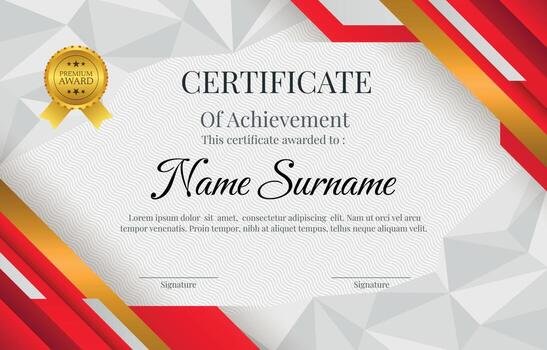
Certificate Preview

//
Our customer support team is here to answer your questions. Ask us anything!
👋 Hi, how can I help?
Scroll to Top